How the desk works.
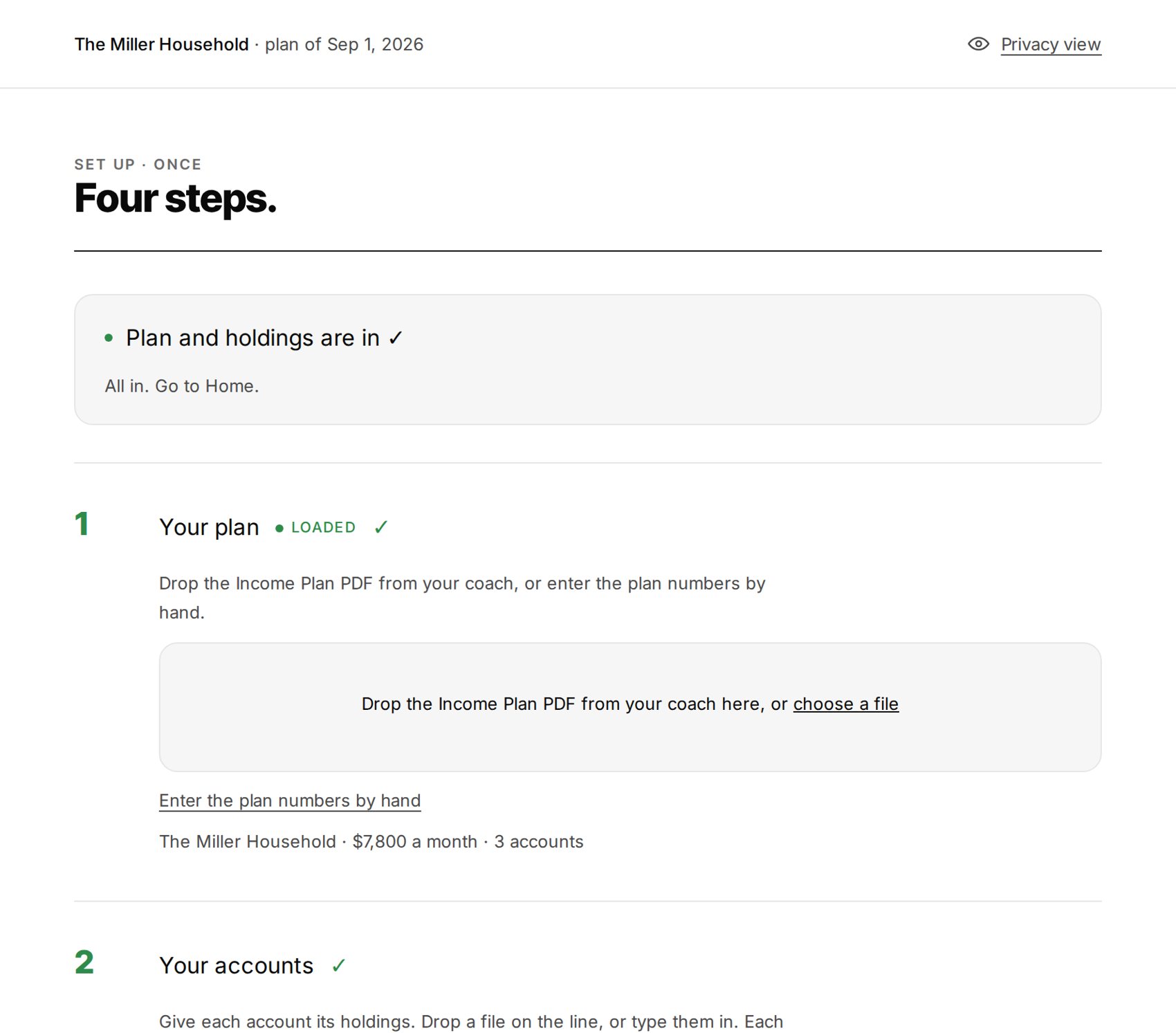
Three steps.
- Your plan. Income Lab: drop the Portfolio Desk export from your coach. Boldin: drop the plan data download (View Full Plan › Download › Download Data to a Spreadsheet). Any other tool: type the household, the monthly paycheck and this year's withdrawals by account type.
- Your accounts. The plan lists them. Check each one's type, then type what it holds: ticker, shares, today's value, and for a taxable account what you paid and when. Paste from a spreadsheet if you have one.
- Your cash reserve. Where the paycheck is paid from, the floor that triggers a refill, and the target it fills to.
Done once. Each step stays on one line with Change beside it.
One number and two inputs.
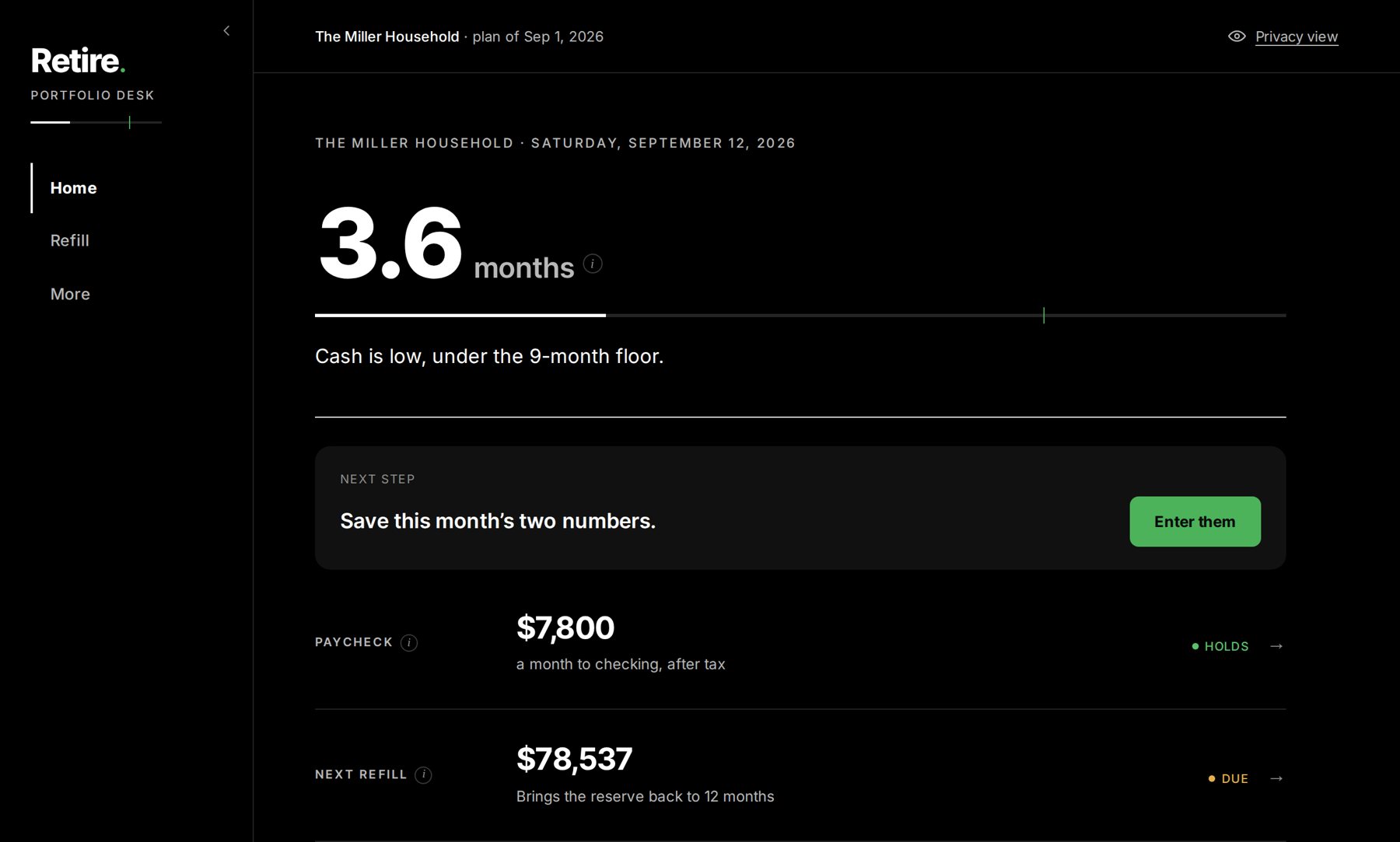
The big number is months of cash in the reserve, on a gauge with your floor and target. When a refill is due, one button sizes it.
Each month you type two numbers: the total of your accounts and the cash in your paycheck account. The desk pre-fills both from your holdings and prices. From them it reads the reserve against the floor and your balance against the plan's limits.
The refill math, lot by lot.
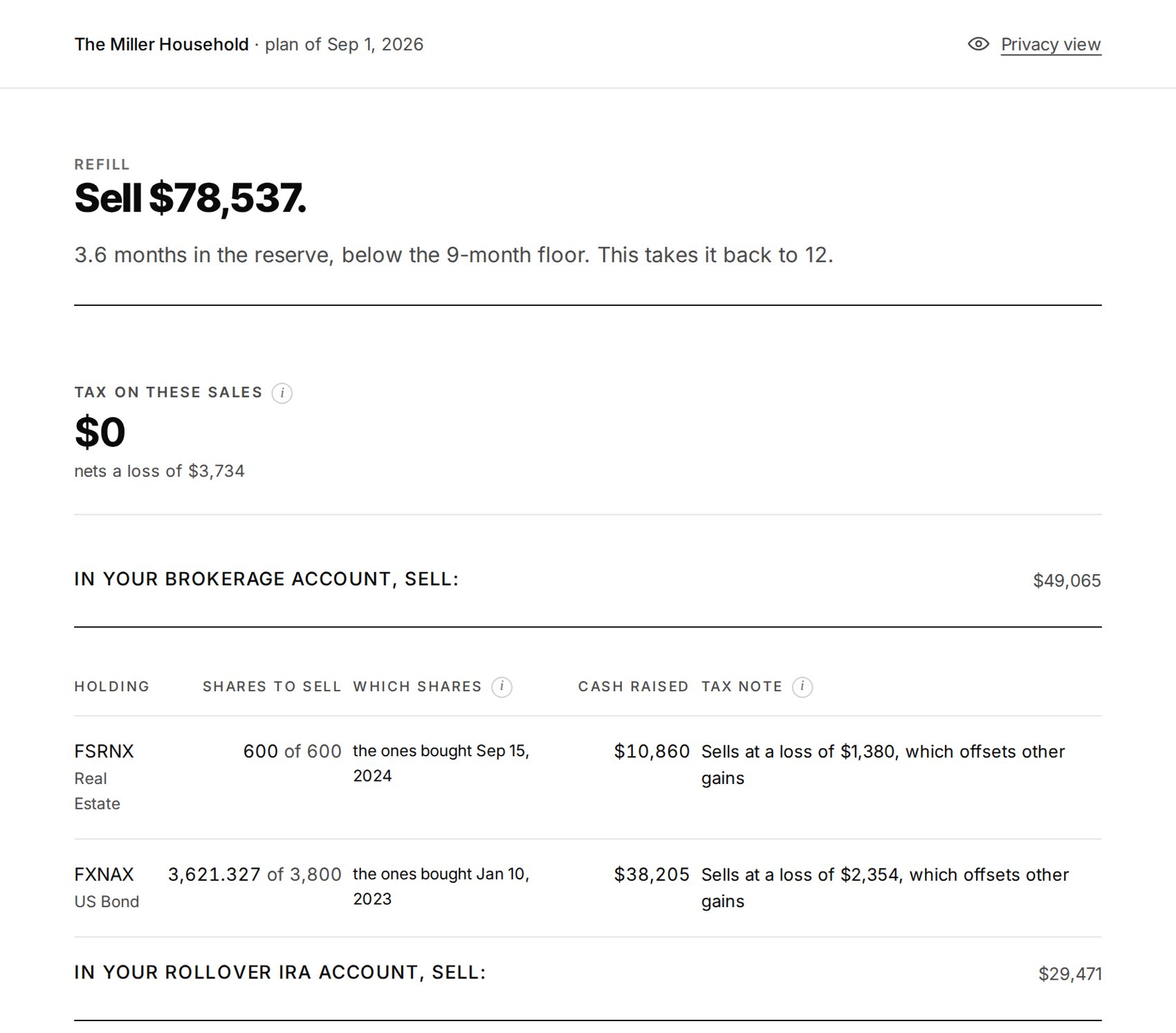
A refill is sized to bring the reserve back to target, split across account types the way your plan draws them, and capped at what the plan has left this year. The desk then lists every lot you could sell, in the order your rules set:
- Gain rule: keep gains under the 0% line, under the next Medicare step, under an income ceiling of your own, or the gains your plan expects
- Sell order: losses first, long-term first, smallest gain per dollar, or trim what is overweight
- Short-term lots last, if you say so
Undo is there for five minutes. History keeps every record.
Two pages you can hand to anyone.
Download plan, on the Refill screen, prints the reserve, the paycheck, this refill lot by lot, the before-you-trade steps, and the plan's limits. With Privacy view on, names and amounts print blurred.
Sealed on your device.
The full note is on the Privacy and security page.
The ones that come up.
Do I need Income Lab?
No. The desk reads the Income Lab Portfolio Desk export and Boldin's plan data download, and takes typed numbers from any other tool: this year's paycheck and withdrawals by account type.
Is this advice?
No. It applies the rules you set to the numbers you enter and shows the result. It does not know your full situation and does not recommend buying, selling or holding anything. Review decisions with your financial advisor and tax professional.
Which brokerages does it work with?
Any. You type what each account holds.
Does it place trades?
No. If you decide to sell, you place the order yourself at your brokerage, choosing specific shares so the lots match.
What tax rules does it know?
Long-term versus short-term by the calendar, the 0/15/20% capital gains lines, net investment income tax, the Medicare income tiers, the $3,000 loss offset and carryforward, Schedule D netting, wash sales across accounts, IRA withholding, required minimum distributions and the 59½ rule. Figures are updated each January. It estimates; your tax professional confirms.
Can my coach see my desk?
Not unless you show them. You can screen-share or send the plan PDF. The desk itself is sealed to your passcode.
What if I only want to look?
Open the desk and choose an example household. Nothing you do with an example is saved.